System Updates
Location in Keel: /settings/upgrade
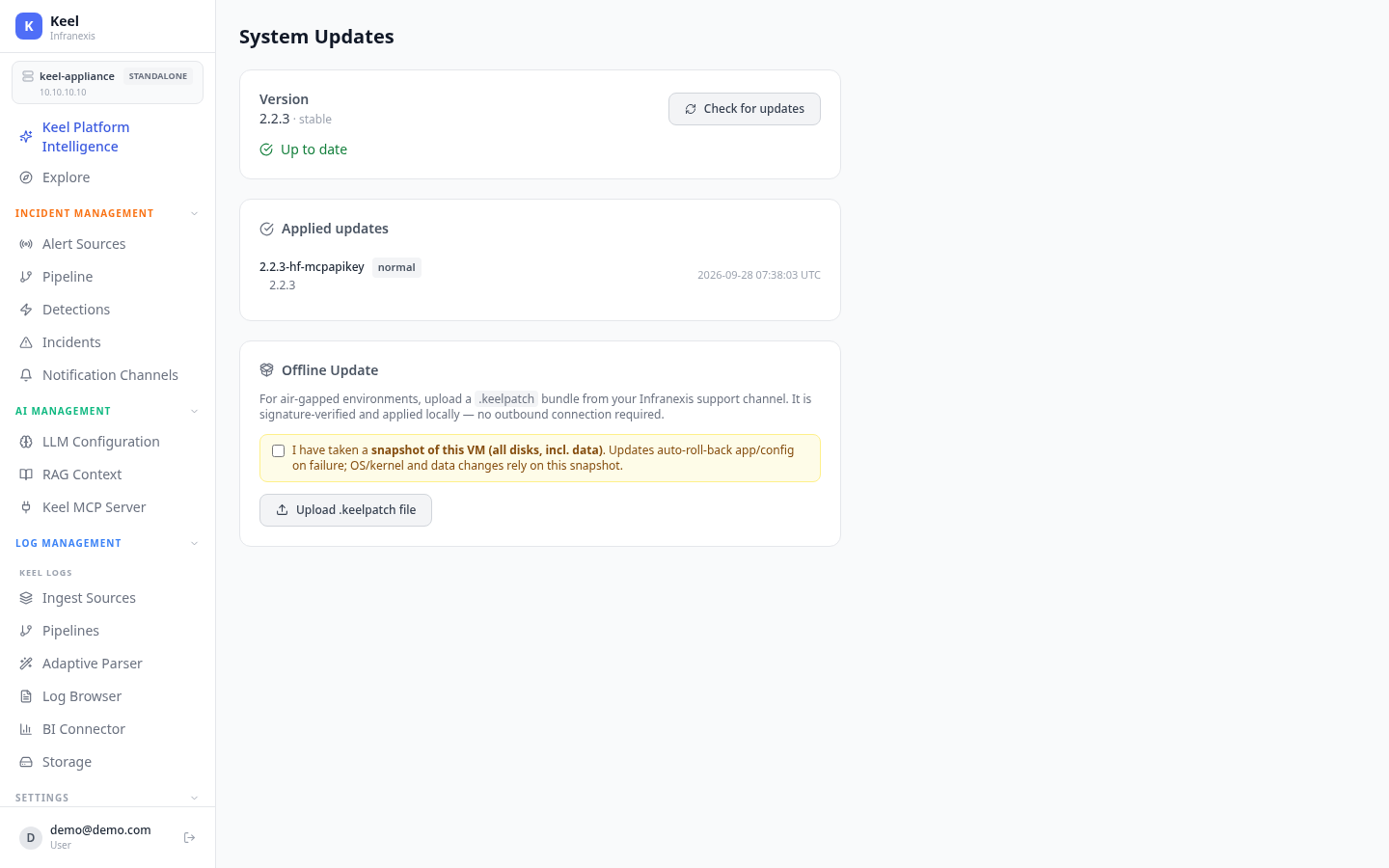
System Updates keeps the appliance current with signed update bundles that you apply on your own schedule. The page shows the running version, a history of applied updates, and — for air-gapped sites — an offline upload path. Updates auto-roll-back the app and configuration if they fail.
Current version
The top of the page shows the running Version (for example, 2.2.3 · stable). Use Check for updates to see whether a newer bundle is available; when there's nothing to apply, it reads Up to date.
Applied updates
A history list records each update that has been applied — the bundle name (e.g. 2.2.3-hf-mcpapikey), its type, the resulting version, and a UTC timestamp — so you can confirm what's installed and when it landed.
Offline update
For air-gapped environments, upload a .keelpatch bundle from your Infranexis support channel with Upload .keelpatch file. The bundle is signature-verified and applied locally — no outbound connection is required.
Take a VM snapshot first
Before applying an offline update you must confirm you've taken a snapshot of this VM (all disks, including data). Updates auto-roll-back the app and configuration on failure, but OS/kernel and data changes rely on that snapshot to recover.
Related
- Backup & Restore — capture configuration before an update
- High Availability — plan updates around cluster nodes
- License — confirm entitlements after an update