High Availability
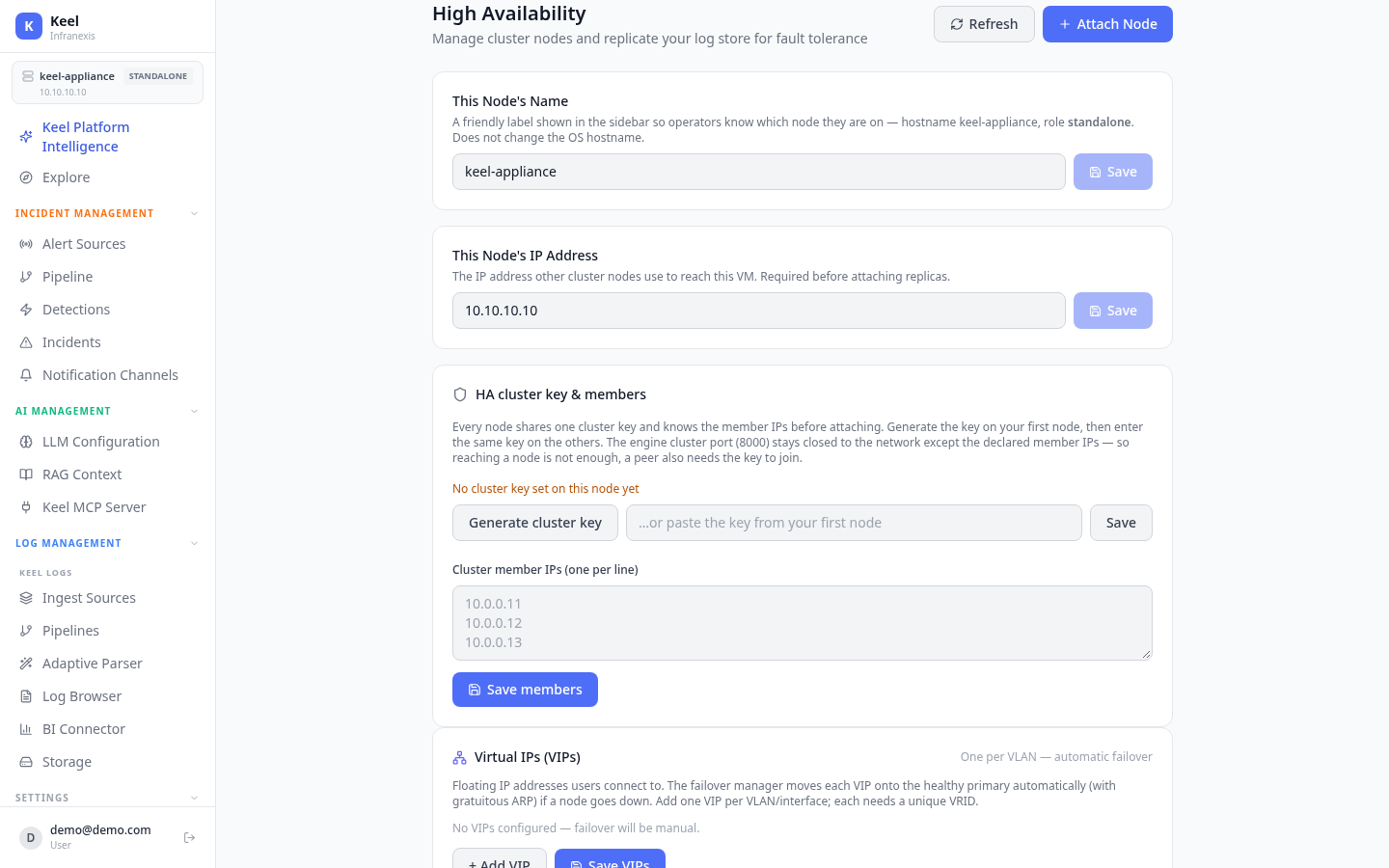
Location in Keel: /settings/ha
High Availability runs Keel as a multi-node cluster and replicates your log store so the service survives a node failure. Users connect to a floating Virtual IP (VIP); if the node behind it fails, the failover manager promotes a healthy node and moves the VIP automatically. Three nodes are recommended so the cluster keeps quorum when one is lost.
This node's identity
Two fields describe the node you're on:
| Field | What it does |
|---|---|
| This Node's Name | A friendly label shown in the sidebar so operators know which node they're on. It does not change the OS hostname. |
| This Node's IP Address | The IP other cluster nodes use to reach this VM. Required before you can attach replicas. |
Cluster key & members
Every node shares one cluster key and knows the member IPs before attaching. Generate the key on your first node (Generate cluster key), then enter the same key on the others. List the Cluster member IPs one per line and Save members.
The key is a second gate, not just the network
The engine cluster port (8000) stays closed to the network except the declared member IPs — so reaching a node is not enough. A peer also needs the cluster key to join.
Virtual IPs (VIPs)
VIPs are the floating addresses users actually connect to. Add one VIP per VLAN / interface, each with a unique VRID. The failover manager moves each VIP onto the healthy primary automatically (with gratuitous ARP) if a node goes down.
No VIPs means manual failover
If no VIPs are configured, failover will be manual — users won't be redirected to a healthy node on their own.
Adding a replica
Attaching a node is driven from the primary and confirmed with a pairing code shown on the joining node — this proves the primary is adding the intended node, so a wrong IP won't match.
- Import the Keel VM image (OVF / qcow2) on the new host and power it on.
- Wait 1–2 minutes for the VM to finish starting up.
- Enter this node's IP address in the field above and save it.
- Click Attach Node and enter the new VM's IP address (and its pairing code).
- Log store replication starts automatically — monitor progress in the status panel.
The first attach flips on replication
A node stays standalone until the first attach, which enables log store replication and migrates tables to replicated mode. Only the cluster leader evaluates detection rules, so alerts aren't duplicated across nodes.
Related
- Backup & Restore — protect configuration alongside store replication
- Storage & retention — the log store that HA replicates
- Network, SSL & firewall — the ports and addresses nodes use