Alert Pipeline
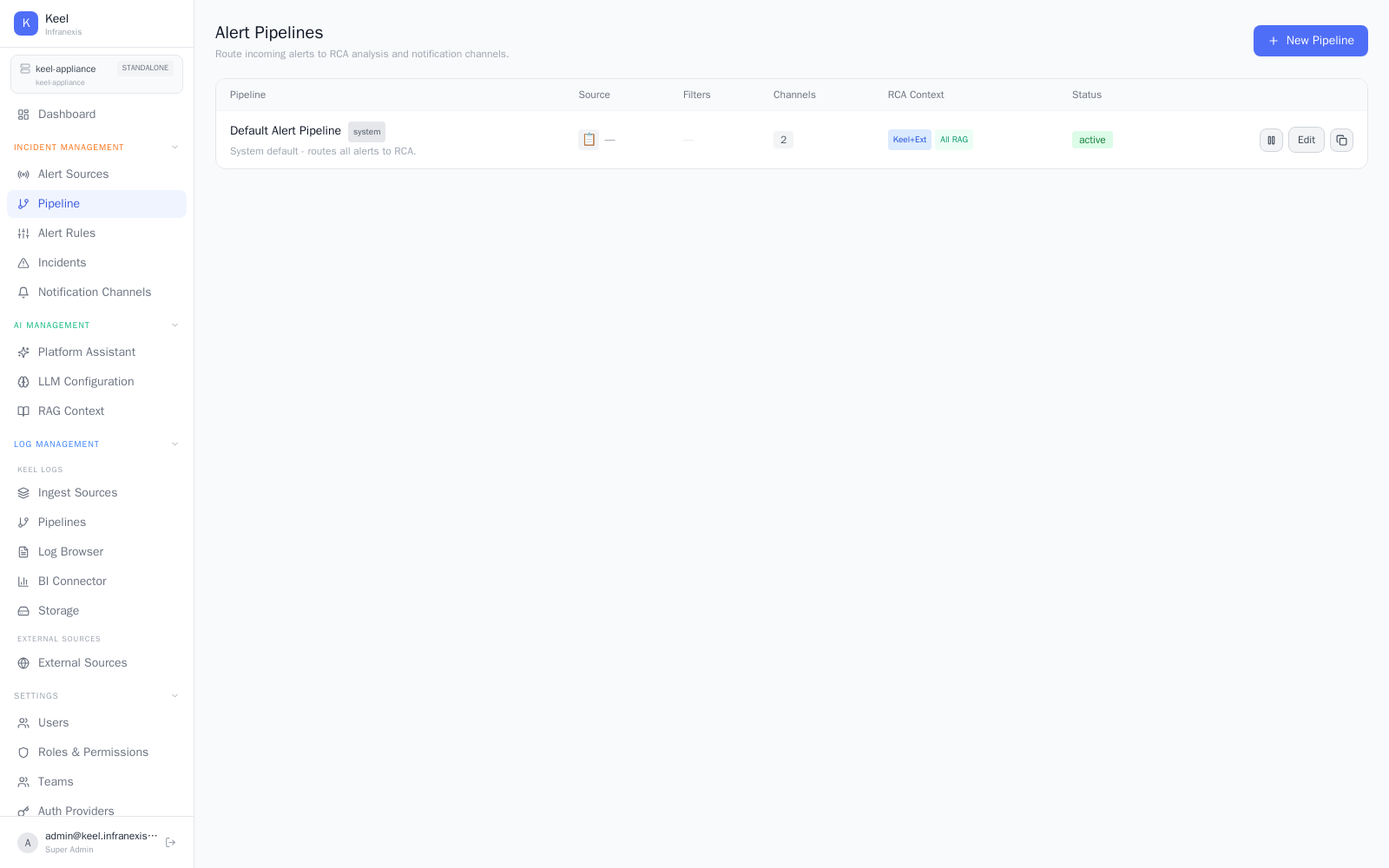
Location in Keel: /alert/pipeline
Alert pipelines route incoming alerts to root-cause analysis and notification channels. A pipeline decides which alerts it handles, how much context RCA is given, and where the results are delivered.
The pipeline table
Each pipeline is a row with these columns:
| Column | What it shows |
|---|---|
| Pipeline | The pipeline's name (the built-in Default Alert Pipeline is a system pipeline). |
| Source | The alert source this pipeline handles. |
| Filters | Conditions that select which alerts the pipeline routes. |
| Channels | The notification channels that receive the results. |
| RCA Context | How much grounding RCA is given for this pipeline's alerts. |
| Status | Whether the pipeline is active. |
The default pipeline
Keel ships with a Default Alert Pipeline (a system pipeline) that routes all alerts to RCA. It gives you working root-cause analysis out of the box; add your own pipelines with New Pipeline when you need to filter alerts or route them to specific channels. Existing pipelines can be changed with Edit.
RCA context
The RCA Context setting controls what an incident's root-cause analysis is grounded in. Options such as All RAG feed the full available context — including your knowledge-base runbooks — into the analysis, so RCA reasons over both the correlated logs and your operational knowledge.
Related
- Alert sources — where incoming alerts come from
- Notification channels — where results are delivered
- Incidents & root-cause analysis — the output of a pipeline
- Knowledge base — runbooks that ground RCA context