Support Export
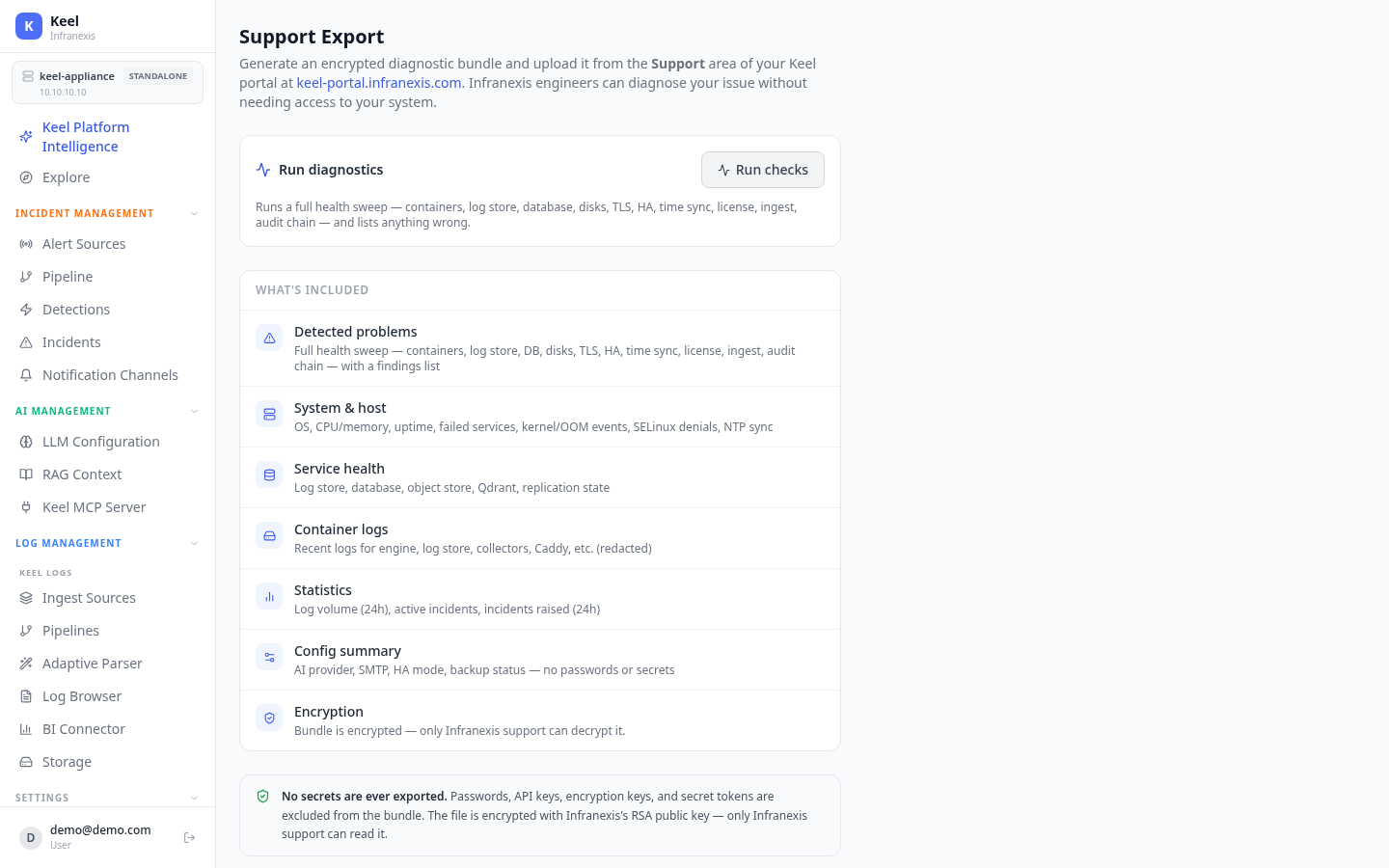
Location in Keel: /settings/support
Support Export generates an encrypted diagnostic bundle you can hand to Infranexis support. Engineers can diagnose your issue from the bundle without needing access to your system — no SSH required.
Run diagnostics
Use Run checks to run a full health sweep — containers, log store, database, disks, TLS, HA, time sync, license, ingest, and audit chain — and list anything wrong under Detected problems.
What's in the bundle
| Section | Contents |
|---|---|
| Detected problems | Full health sweep results, with a findings list |
| System & host | OS, CPU/memory, uptime, failed services, kernel/OOM events, SELinux denials, NTP sync |
| Service health | Log store, database, object store, vector store, replication state |
| Container logs | Recent logs for engine, log store, collectors, and proxy (redacted) |
| Statistics | Log volume (24h), active incidents, incidents raised (24h) |
| Config summary | AI provider, SMTP, HA mode, backup status — no passwords or secrets |
No secrets are ever exported
Passwords, API keys, encryption keys, and secret tokens are excluded from the bundle. The .keelsupport file is encrypted with Infranexis's RSA public key, so only Infranexis support can decrypt it.
How to use it
- Click Generate & Download Bundle to download the encrypted
.keelsupportfile. - Sign in to your Keel portal at
keel-portal.infranexis.com. - Under Support, upload the file — the health report and issues are shown there.
- Infranexis support decrypts and analyses it — no SSH access needed.
Related
- High Availability — HA state is included in the health sweep
- Backup & Restore — backup status is summarised in the bundle
- Licensing — license state is part of the diagnostics