Keel MCP Server
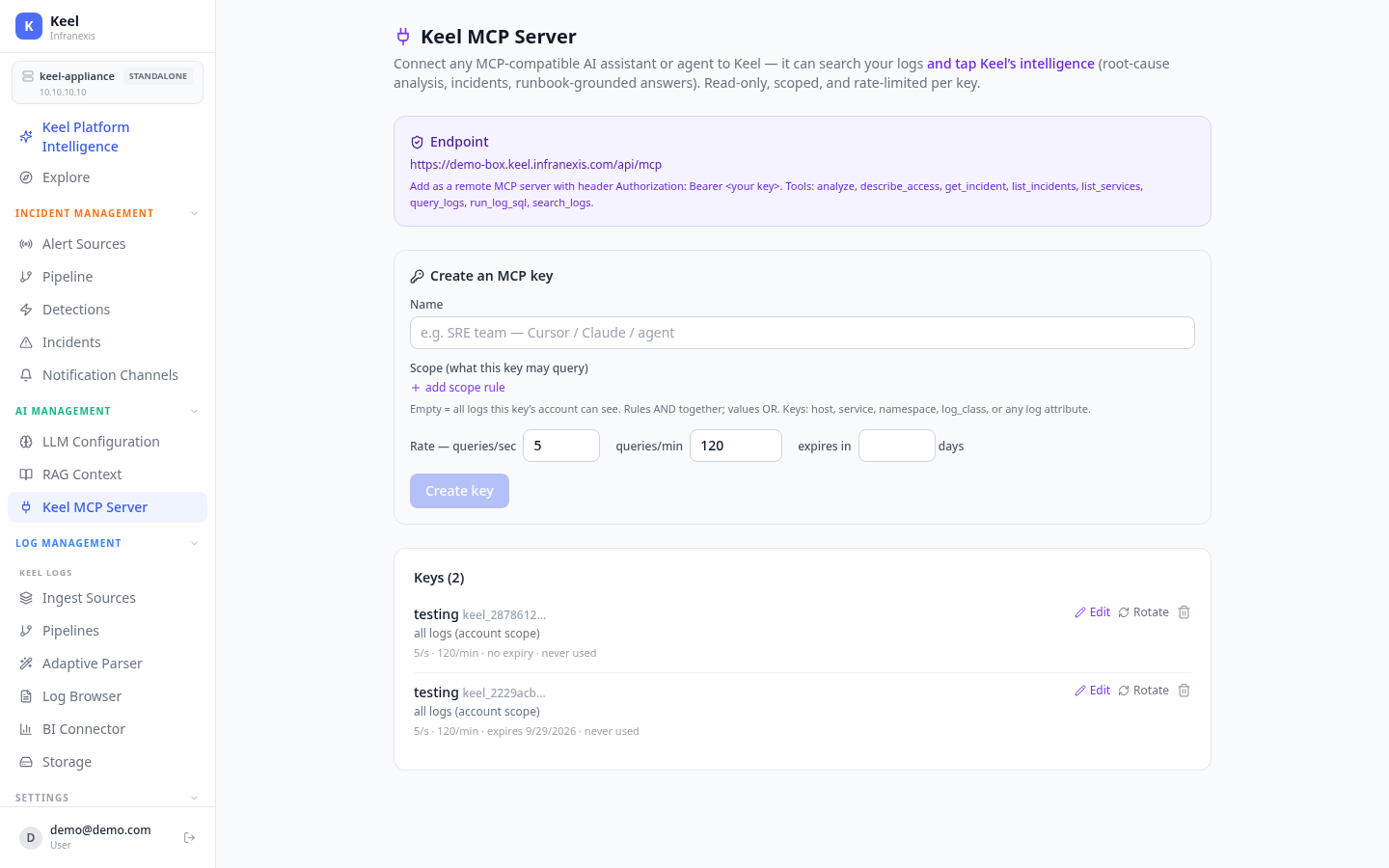
Location in Keel: /ai/mcp (AI Management → Keel MCP Server)
Keel ships a Model Context Protocol (MCP) server, so you can connect any MCP-compatible AI assistant or agent — Claude, Cursor, or your own — directly to Keel. The agent can search your logs and tap Keel's intelligence (root-cause analysis, incidents, runbook-grounded answers). Access is read-only, scoped, and rate-limited per key.
Endpoint & connection
Add it in your client as a remote MCP server with an authorization header:
Tools exposed
An connected agent can call these tools — all read-only:
| Tool | What it does |
|---|---|
search_logs |
Full-text / filtered log search within the key's scope |
query_logs |
Structured log queries |
run_log_sql |
Run a bounded, SELECT-only SQL query over logs |
list_services |
List the service names present in the logs |
list_incidents |
List incidents |
get_incident |
Fetch one incident, including its root-cause analysis |
analyze |
Run Keel's analysis over a question or incident |
describe_access |
Show exactly what the current key may query, and its rate limits |
Access keys
Create one key per agent or team under AI Management → Keel MCP Server → Create key:
- Name — a label for the key, e.g. SRE team — Cursor / Claude / agent.
- Scope — what the key may query. Add scope rules on
host,service,namespace,log_class, or any log attribute. Rules AND together; the values within a rule OR together. An empty scope means all logs this key's account can see. - Rate — queries per second and per minute (default 5/s · 120/min).
- Expiry — optional expiry in days.
Existing keys can be edited or rotated from the same screen, and each key shows its scope, rate, expiry, and last-used time.
How access is enforced
Calling describe_access returns exactly what a key is allowed to do, for example:
{
  "scope": "all logs your account can see",
  "rate_per_sec": 5,
  "rate_per_min": 120,
  "tools": ["analyze", "describe_access", "get_incident", "list_incidents",
            "list_services", "query_logs", "run_log_sql", "search_logs"],
  "note": "Read-only. Queries are sandboxed (SELECT-only, bounded) and row-filtered to your scope."
}
Read-only by design
MCP access is strictly read-only. Queries are sandboxed (SELECT-only and bounded) and row-filtered to the key's scope — an agent can investigate, but can never change configuration, delete data, or read logs outside its scope. This keeps the blast radius of a connected agent contained: the worst case is a wrong answer, never a changed system.
Related
- Platform Intelligence — the built-in assistant (can act, with confirmation)
- LLM Configuration
- Incidents & root-cause analysis