Log Collector
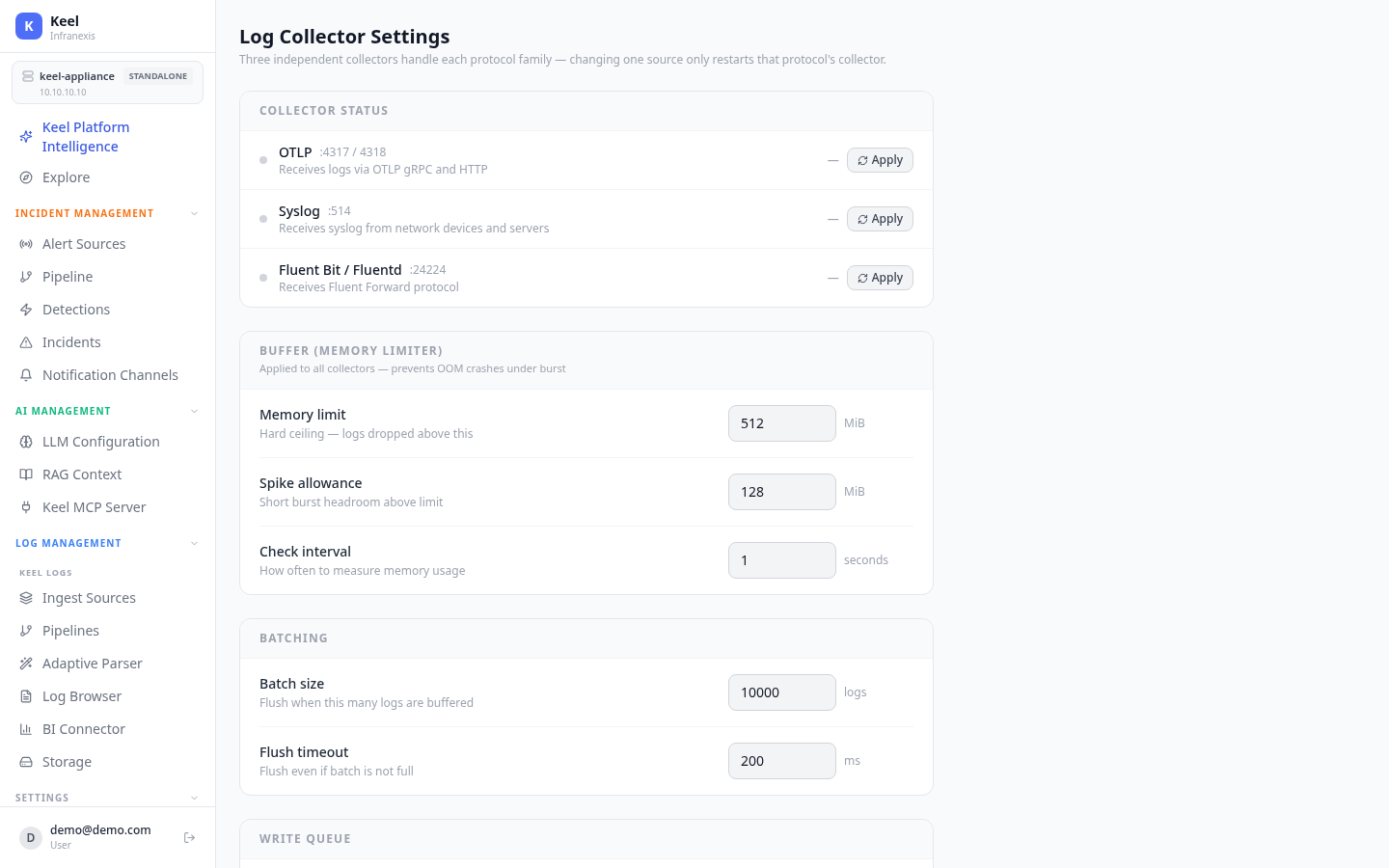
Location in Keel: /settings/collector
The Log Collector page tunes how the appliance receives and buffers incoming logs. Three independent collectors handle each protocol family, so changing one source only restarts that protocol's collector — not the whole ingest path.
Collector status
| Collector | Port(s) | Receives |
|---|---|---|
| OTLP | :4317 / :4318 |
Logs via OTLP gRPC and HTTP |
| Syslog | :514 |
Syslog from network devices and servers |
| Fluent Bit / Fluentd | :24224 |
Fluent Forward protocol |
Use Apply on a single collector to restart just that protocol.
Buffer (memory limiter)
Applied to all collectors to prevent OOM crashes under burst.
| Setting | Meaning |
|---|---|
| Memory limit (MiB) | Hard ceiling — logs are dropped above this |
| Spike allowance (MiB) | Short-burst headroom above the limit |
| Check interval (seconds) | How often memory usage is measured |
Batching and write queue
| Setting | Meaning |
|---|---|
| Batch size (logs) | Flush when this many logs are buffered |
| Flush timeout (ms) | Flush even if the batch is not full |
| Queue size (batches) | Max queued batches — excess is dropped |
| Write workers | Parallel writers to the log store |
| Log TTL (hours) | Default retention — logs older than this are deleted |
Buffers protect the appliance, not delivery
When the memory limit or write queue is exceeded, logs are dropped rather than crashing the collector. Size these for your peak ingest rate.
Applying changes
- Load preview under Generated Config Preview shows the configs that will be written on Apply — one config file per protocol collector.
- Save settings only stores changes without restarting.
- Apply All & Restart writes every config and restarts the collectors.
Related
- Log Sources — add and manage the sources feeding these collectors
- Log Pipeline & Processing — parse and enrich ingested logs
- Storage — where retained logs live and for how long