Backup & Restore
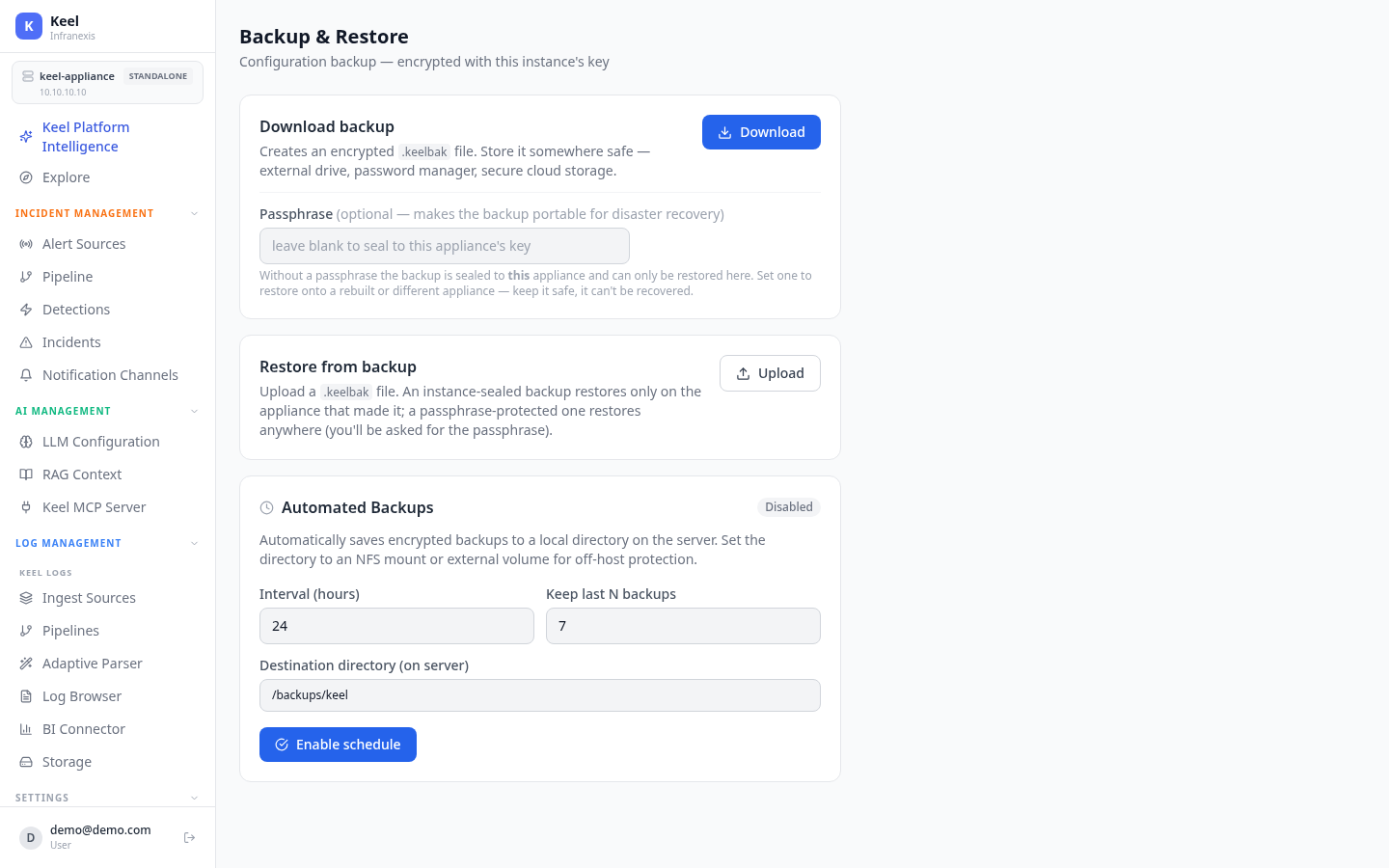
Location in Keel: /settings/backup
Backup & Restore captures Keel's configuration as an encrypted .keelbak file. Every backup is encrypted with this instance's key — take one before an upgrade or a major change so you can roll back.
Download a backup
Download creates an encrypted .keelbak file. Store it somewhere safe — an external drive, a password manager, or secure cloud storage.
| Field | What it does |
|---|---|
| Passphrase (optional) | Makes the backup portable for disaster recovery. Without one, the backup is sealed to this appliance and can only be restored here. Set a passphrase to restore onto a rebuilt or different appliance. |
A passphrase can't be recovered
If you set a passphrase, keep it safe — it cannot be recovered, and without it a portable backup can't be restored.
Restore from a backup
Upload a .keelbak file to restore. How it restores depends on how it was made:
- An instance-sealed backup (no passphrase) restores only on the appliance that made it.
- A passphrase-protected backup restores anywhere — you'll be asked for the passphrase.
Automated backups
Automated Backups (disabled by default) periodically save encrypted backups to a local directory on the server.
| Field | What it does |
|---|---|
| Interval (hours) | How often a backup is written. |
| Keep last N backups | Older backups beyond this count are pruned. |
| Destination directory (on server) | Where backups are written. |
Click Enable schedule to turn it on.
Write backups off the appliance
Point the destination directory at an NFS mount or external volume so a copy survives the appliance itself — a backup on the same box won't help if the box is lost.
Related
- System Updates — take a backup before applying an update
- High Availability — store replication for fault tolerance
- License — reapply your license after a restore to a new appliance