License
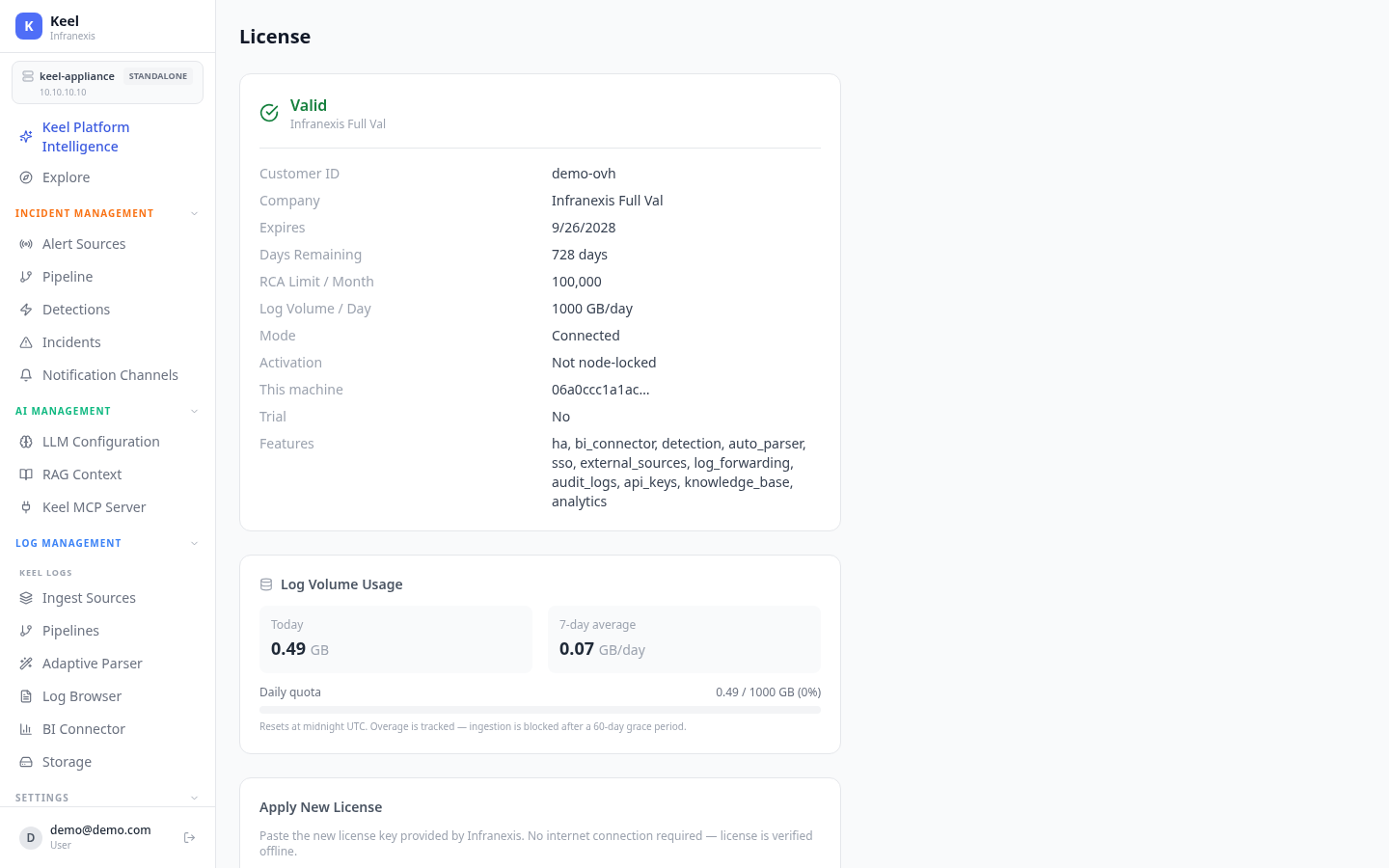
Location in Keel: /settings/license
The License page shows your current entitlement, tracks daily log volume against your quota, and lets you apply a new license key. License keys are RS256-signed and verified offline, so the appliance never needs an internet connection to validate one — a good fit for air-gapped sites, though an online (connected) mode is also possible.
Current license
The summary panel shows the state of your entitlement:
| Field | Meaning |
|---|---|
| Status | Whether the license is valid. |
| Customer ID / Company | Who the license is issued to. |
| Expires / Days Remaining | When the license lapses. |
| RCA Limit / Month | Monthly root-cause analysis allowance. |
| Log Volume / Day | Daily ingest quota (e.g. 1000 GB/day). |
| Mode | Connected or offline. |
| Activation | Whether the license is node-locked to this machine. |
| Features | Enabled capabilities — e.g. ha, bi_connector, detection, auto_parser, sso, external_sources, log_forwarding, audit_logs, api_keys, knowledge_base, analytics. |
Log volume usage
The usage panel shows today's ingest, a 7-day average, and today's total against your daily quota (e.g. 0.43 / 1000 GB).
Quota resets nightly; overage has a grace period
Usage resets at midnight UTC. Overage is tracked, and ingestion is blocked only after a 60-day grace period — a short spike won't cut off ingest.
Apply a new license
Paste the new license key provided by Infranexis and click Apply License. No internet connection is required — the key is verified offline.
Renewing or moving a license
Contact Infranexis to renew before the expiry date. If the license is node-locked and you're moving to a rebuilt or different appliance, ask Infranexis to re-issue it for the new machine.
Related
- System Updates — keep the appliance current
- Backup & Restore — reapply your license after restoring to a new appliance
- High Availability — the
hafeature entitlement