SNMP Monitoring
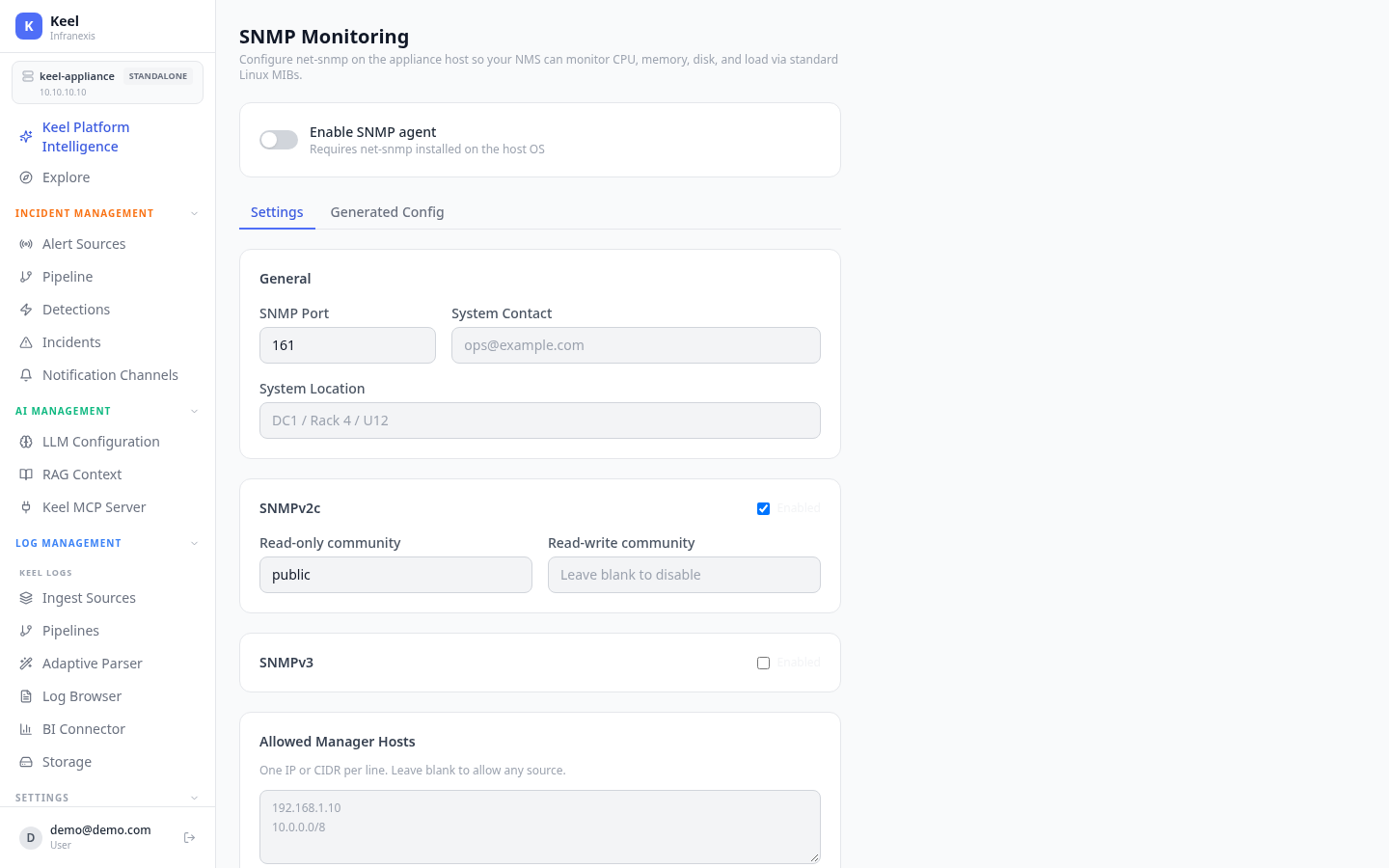
Location in Keel: /settings/snmp
SNMP Monitoring lets your existing network management system (NMS) poll the appliance host over standard Linux MIBs — CPU, memory, disk, and load — so Keel fits into the monitoring you already run.
Enabling the agent
Turn on Enable SNMP agent to configure snmpd on the appliance host. Set the SNMP Port, and optional System Contact (e.g. [email protected]) and System Location (e.g. DC1 / Rack 4 / U12) so your NMS can identify the appliance.
net-snmp must be installed on the host
The agent requires net-snmp installed on the host OS. Use Generated Config to review the snmpd configuration Keel will write, then Apply to Host.
Access control
| Section | What it controls |
|---|---|
| SNMPv2c | Enable community-based access; set a Read-only community (e.g. public) and, optionally, a Read-write community. Leave a community blank to disable it. |
| SNMPv3 | Enable user-based SNMPv3 access. |
| Allowed Manager Hosts | One IP or CIDR per line (e.g. 192.168.1.10, 10.0.0.0/8). Leave blank to allow any source. |
Alert thresholds and traps
Under Alert Thresholds, set the Disk usage alert (%) and Load average thresholds (1, 5, and 15 minute). snmpd raises dskTable / laTable error flags at these levels for your NMS to poll.
Under Trap Destinations, use Add Trap Destination to send standard net-snmp traps (coldStart, linkUp/Down, disk/load threshold) to a receiver. Test sends a sample trap to confirm delivery.
Save vs. Apply to Host
Save stores the settings; Apply to Host writes and reloads the snmpd configuration on the appliance.
Related
- System Alerts & Self-Healing — where the appliance sends its own health alerts
- Network, SSL & Firewall — open the SNMP port to your NMS
- Notification Channels — Slack/Teams/webhook delivery